LIVE Registrations close in 00d00h00m00s
AI Motion Masterclass
For designers who get asked for motion

Learn How To Use Claude, Figma & Other AI Tools to Turn Your Static Designs Into Logo Reveals, Reels & Animated Stats, Handle Every Motion Request & Add It to Your Services

Even if you’ve never animated anything before and don’t have time to learn After Effects, I’ll walk you through every step live and answer your questions as you go.

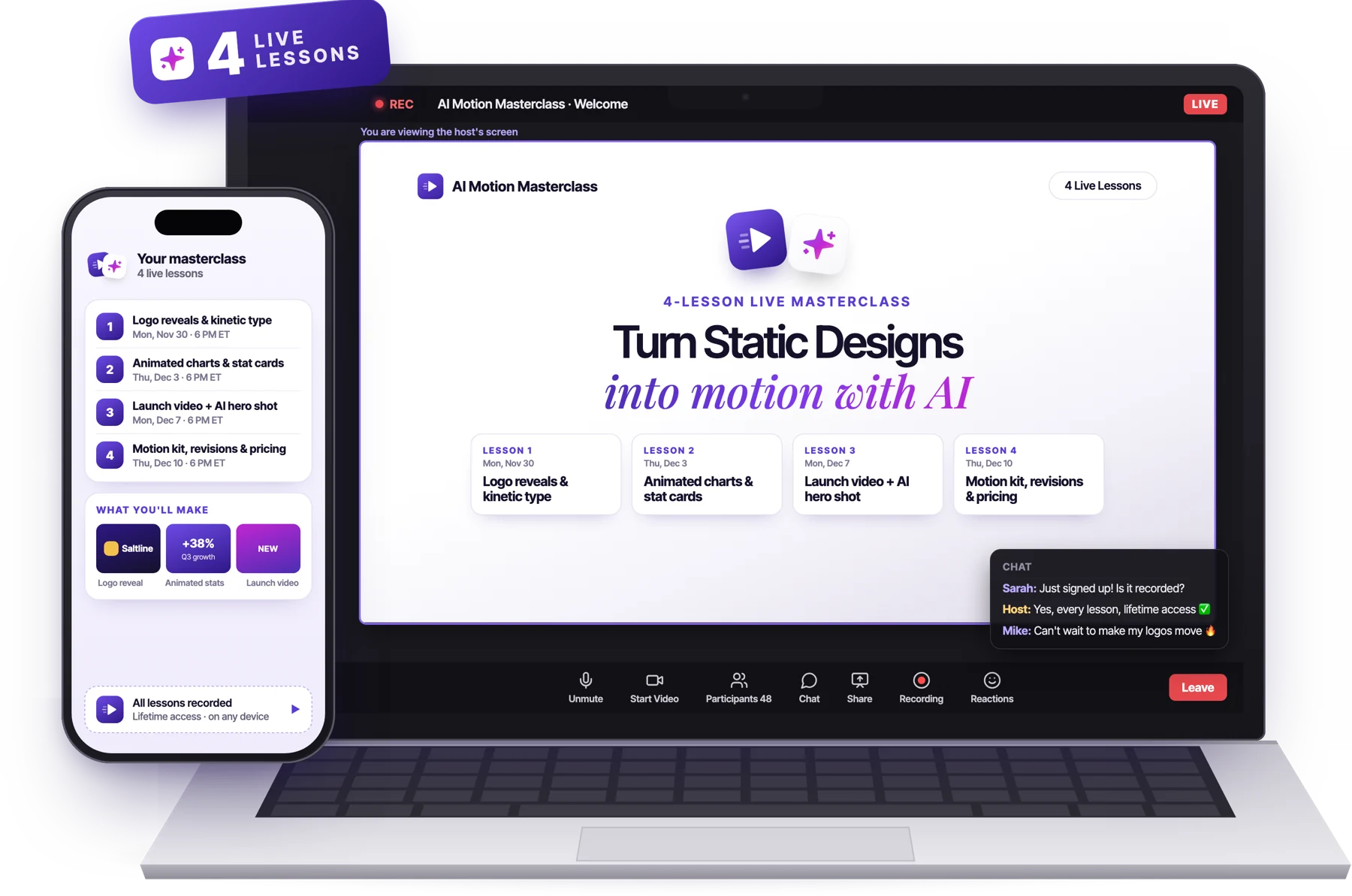
AI Motion Masterclass: 4 live lessons on Zoom, on laptop and phone
🎥
Format
4 Live Sessions On Zoom
📅
First Session
Monday, Nov 30
🎬
Recordings
All Lessons Are Recorded
💵
Price
$27
🎓
Certificate
Certificate of Completion
🛡️
Guarantee
30-Day Money-Back Guarantee
What changed

AI Is Changing the Way Graphic Designers Work

If design is part of your week, whether you make social posts, ads, logos and brand identities, presentations or packaging, for clients or for the company you work at, you’ve probably noticed how much has changed in the last few months.

Clients are asking for Reels instead of static posts, job ads for graphic designers now list video and animation too, and the designers who’ve figured out how to use AI properly are delivering both, while everyone else turns the work down or sends it to a motion designer.

Sound familiar?

How Many Times Have You Found Yourself Typing Something Like This Into Google?

AI Overview
About 1,180,000,000 results… and none of them animate your design.
“how to turn a static post into a reel”
“can ai animate my logo”
“client wants animation but i’m not a motion designer”
“how to make a design move in figma”
“best ai tool for motion graphics”
“how much to charge for a logo animation”

If any of those sound familiar, you’re not alone.

Every week I get messages from designers asking me exactly these questions, and almost all of them start the same way: a client or a boss asked for something that moves.

9:41
M
mara.studio
Active now
Message...
+3 new message requests

I’ve spent the last two years using Claude, Figma and other AI tools on real client work, turning logo animations and Reels that I used to hand off to a motion designer, or turn down completely, into something I deliver myself in an afternoon.

Today I’m inviting you to the AI Motion Masterclass, a 4-lesson live masterclass where I’ll show you how to do the same with your own designs.

AI Motion Masterclass: 4 live lessons on Zoom, shown on a laptop and phone
Your results

By The End Of The Four Lessons, You’ll Be Able To:

01 · LAUNCH VIDEOS

Combine your designs with AI footage for launch videos

One AI product shot plus your own editable titles and graphics: a launch video that looks studio-made.

02 · DATA & EXPLAINERS

Make numbers and data impossible to scroll past

Animated charts, counters and dashboards for social posts, decks and product explainers.

03 · KINETIC TYPE

Turn static posts into scroll-stopping Reels

Kinetic typography that grabs attention in the first second, even with the sound off.

04 · LOGO ANIMATION

Bring the logos and brand identities you design to life

Logo stings and animated brand moments, built from your own files, with every layer still editable.

05 · EVERY FORMAT, EVERY REVISION

Deliver every format and every client change from one master file

9:16, 4:5, 1:1 and 16:9 from a single edit, and client revisions in minutes instead of a rebuild.

Your host

Hi, I am Vincent

Hey, I’m Vincent. I’m a designer, and for the past two years I’ve been working out how to use AI to make creative work faster.

Lately I’ve focused on one problem designers keep running into: turning static designs into animation without spending months learning After Effects.

Using Claude and Figma, I now turn logos, social posts and brand graphics into logo reveals, animated type and moving charts, and I can still make changes when someone asks for revisions.

You never have to write code yourself, because Claude writes it.

Below are a few things I’ve made this way.

In this 4-lesson live masterclass I’ll show you exactly how, on your own files, so you can add motion to the services you already offer.

MASTERCLASS STARTS IN
00DAYS
00HOURS
00MINUTES
00SECONDS
The plan

What You’ll Learn in This Masterclass

Every lesson works with Claude, Figma and free tools, so you can follow along with what you already have, without paying for new software.

LIVE LESSON🗓️ Monday, November 30
LESSON 1

Static to Motion: Logo Reveals and Kinetic Type
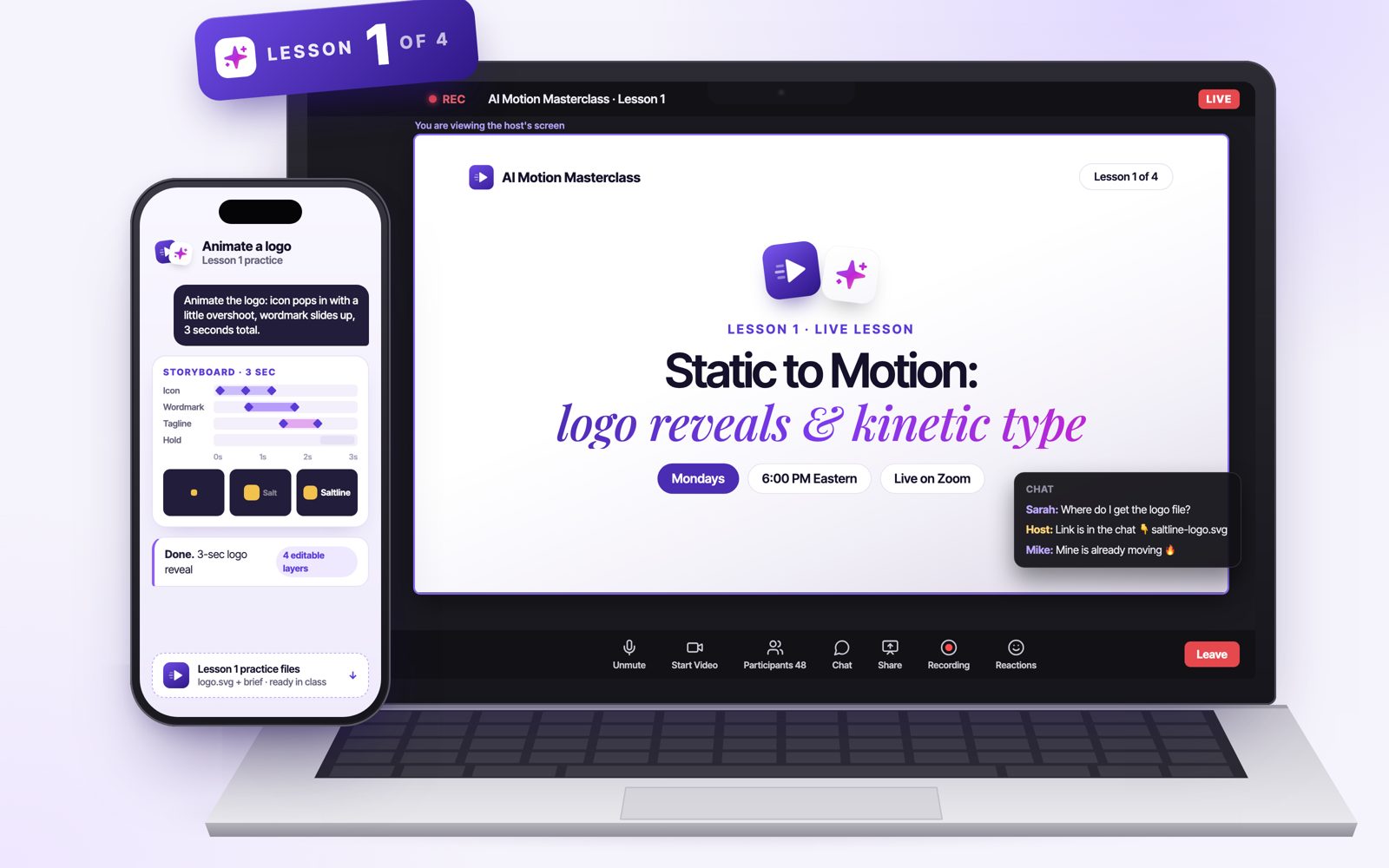
Lesson 1: Static to motion, logo reveals and kinetic type
🕕 EASTERN TIME6:00 – 7:00 PMET
🕔 CENTRAL TIME5:00 – 6:00 PMCT
🕒 PACIFIC TIME3:00 – 4:00 PMPT

Like any new skill, we start with the foundations, but we won’t stay there for long.

In the first 20 minutes, you’ll have everything set up and working on your own computer. Then you’ll learn the motion vocabulary AI actually understands, and how to turn a vague “make it pop” into a short storyboard it can follow.

From there, we go straight to the two requests designers get more than any other: the logo that needs to move, and the social post that needs to become a video.

By the end of the evening, you’ll have a 3-second logo animation and an animated quote post, and you’ll know exactly how to do the same for your next client the following morning.

What You’ll Learn in This Lesson?
The Motion Vocabulary AI UnderstandsEasing, stagger, holds and overshoot, explained in plain English, so you can tell AI exactly how something should move
From Brief to Storyboard in 5 LinesTurn any client brief into a short storyboard the AI can follow: what moves, in what order and for how long
A Logo Reveal From Your Own FileAnimate a logo straight from the SVG, with every layer still editable when the client asks for changes
Kinetic Type From a Static Figma FrameTurn a static post into animated text that grabs attention in the first second
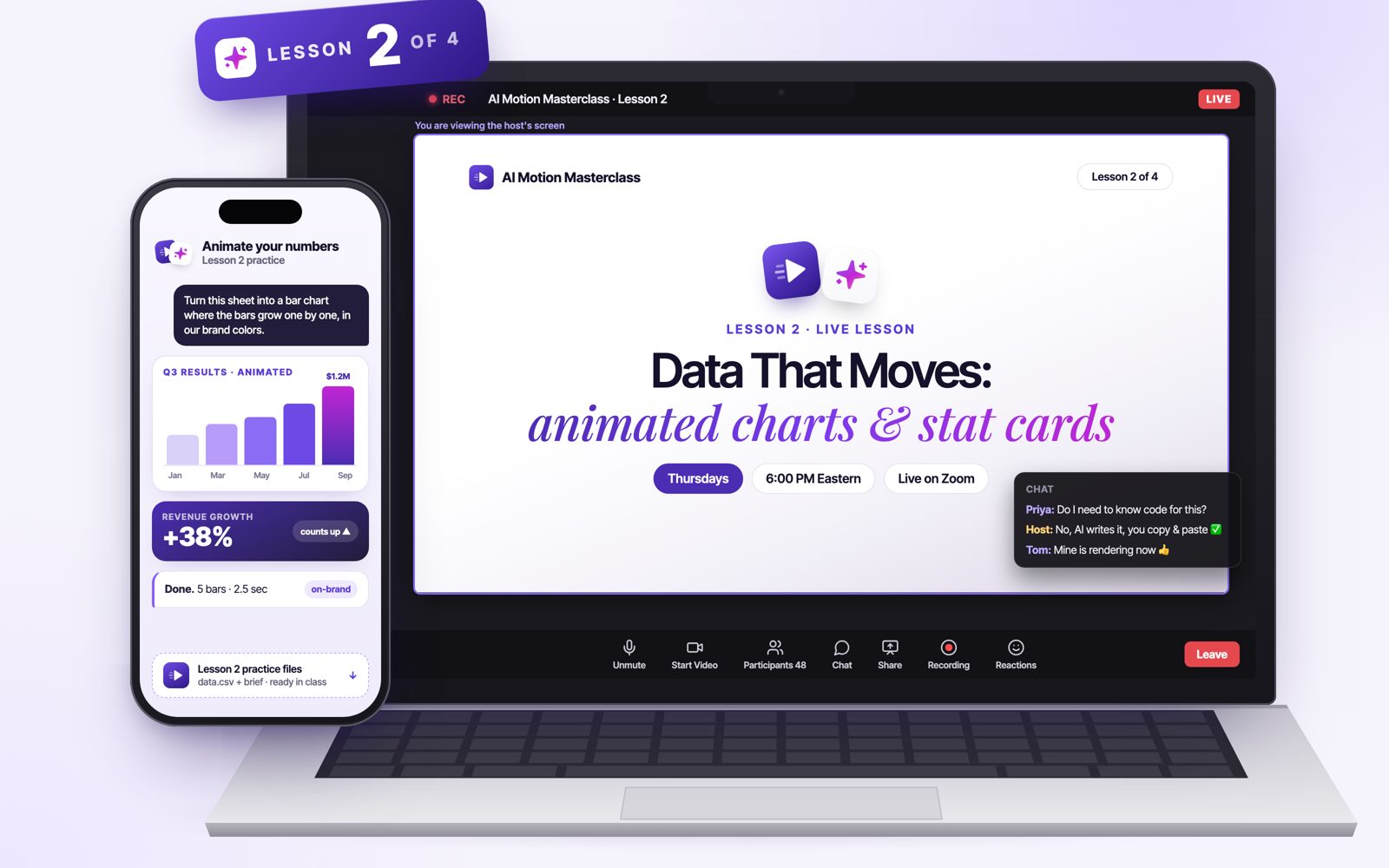
LIVE LESSON🗓️ Thursday, December 3
LESSON 2

Data That Moves: Animated Charts and Stat Cards

Lesson 2: Data that moves, animated charts and stat cards
🕕 EASTERN TIME6:00 – 7:00 PMET
🕔 CENTRAL TIME5:00 – 6:00 PMCT
🕒 PACIFIC TIME3:00 – 4:00 PMPT

In the second lesson, we make numbers move.

You’ll take a simple spreadsheet and turn it into an animated bar chart and a stat card that counts up on screen, the kind every brand wants for its results posts, investor decks and annual reports.

You’ll also use the code route, where AI writes the animation for you, explained for people who have never written a line of code: you copy, you paste, and it works.

By the end of the evening, you’ll have an animated Q3 results card you could post on social or drop straight into a presentation.

What You’ll Learn in This Lesson?
From a Spreadsheet to an Animated ChartTurn rows of numbers into bars that grow and totals that count up, in minutes
The Code Route, for Non-CodersLet AI write the animation while you copy and paste, no programming needed
On-Brand Down to the Last PixelYour exact fonts and color codes in every frame, not “close enough”
One Template That Updates ItselfBuild it once, and next quarter you just drop in the new numbers
LIVE LESSON🗓️ Monday, December 7
LESSON 3

The Launch Video: Your Graphics Plus One AI Hero Shot

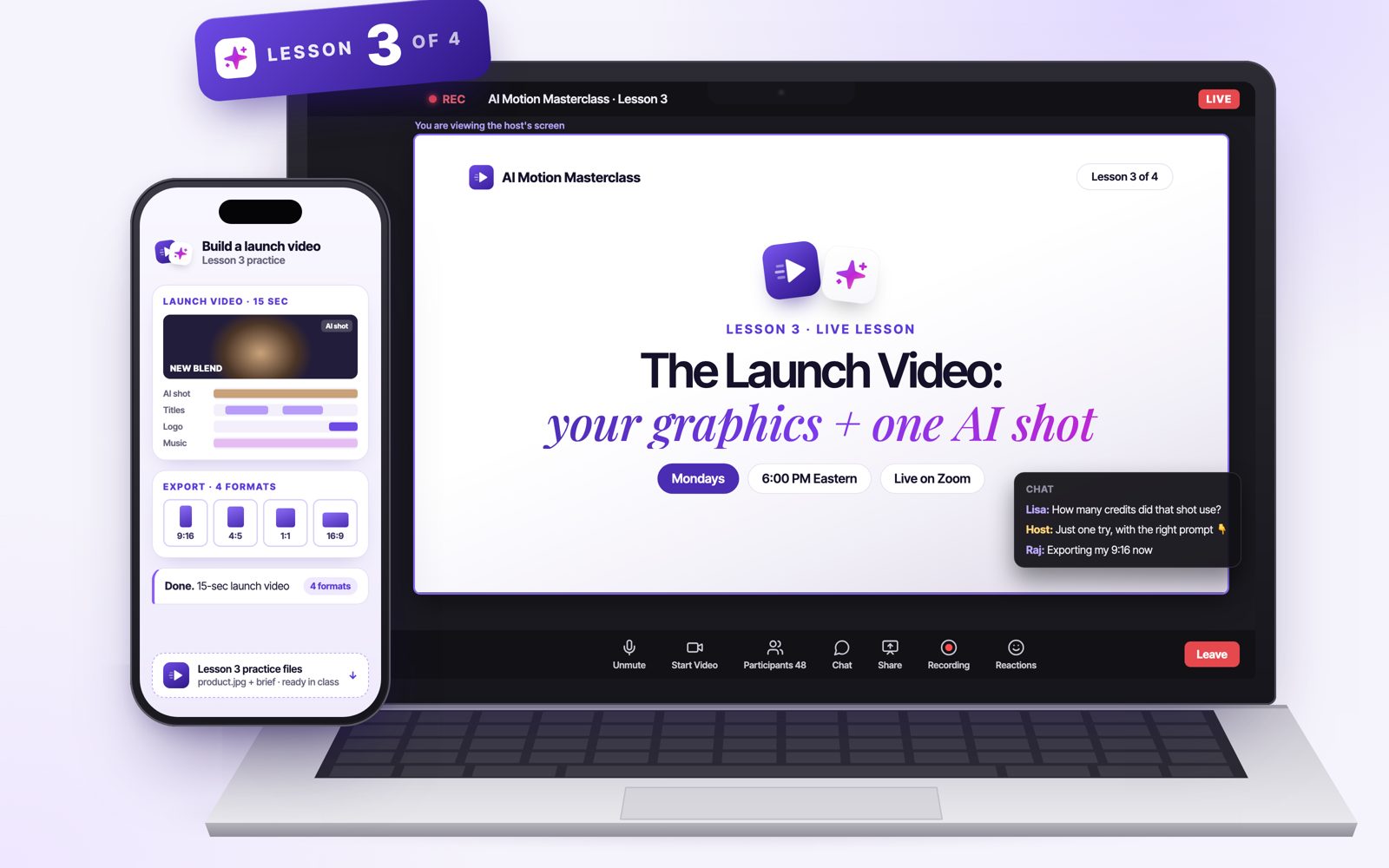
Lesson 3: The launch video, your graphics plus one AI hero shot
🕕 EASTERN TIME6:00 – 7:00 PMET
🕔 CENTRAL TIME5:00 – 6:00 PMCT
🕒 PACIFIC TIME3:00 – 4:00 PMPT

In the third lesson, you’ll build the piece clients get most excited about: a short launch video.

First, you’ll learn when an AI video tool is the right choice, and when it will burn your credits and still look wrong. Then you’ll turn a single product photo into a moving hero shot, without spending a fortune on dozens of attempts.

Finally, you’ll layer your own titles and brand graphics on top, all still editable, and export the same video in every size a client could ask for.

By the end of the evening, you’ll have a 15-second launch video in four formats, ready for every platform.

What You’ll Learn in This Lesson?
When to Use AI Video, and When Never ToWhere AI video tools shine, where they fall apart, and how to avoid wasting money on them
One Hero Shot From a Product PhotoTurn a single image into a moving shot without burning through credits
Editable Titles and Brand Graphics on TopYour text and graphics stay sharp, on-brand and easy to change, unlike text generated inside the video
One Edit, Four Sizes9:16 for Reels and Stories, 4:5 and 1:1 for the feed, 16:9 for YouTube and presentations
LIVE LESSON🗓️ Thursday, December 10
LESSON 4

Your Motion Kit, Client Revisions and Selling Motion

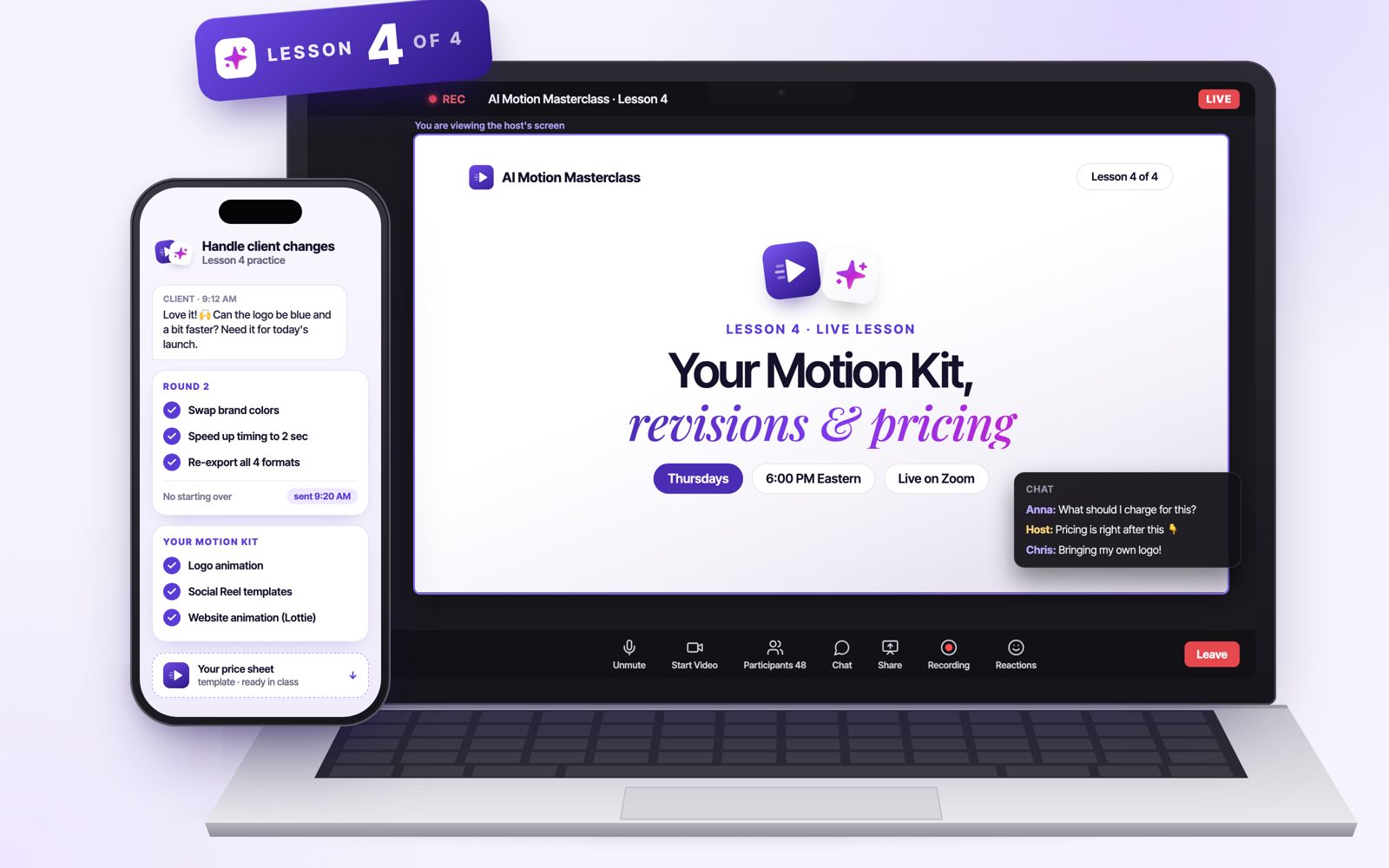
Lesson 4: Your motion kit, client revisions and selling motion
🕕 EASTERN TIME6:00 – 7:00 PMET
🕔 CENTRAL TIME5:00 – 6:00 PMCT
🕒 PACIFIC TIME3:00 – 4:00 PMPT

In the last lesson, we bring everything together and turn it into something you can sell.

You’ll build an animated social kit and a lightweight animation for websites. Then we’ll handle the moment every designer dreads, a round of client changes, live, so you see how fast it can be done.

We’ll finish with the business side: how to package logo animations, social kits and launch videos as services, and how to price and present them to the clients you already have.

By the end of the evening, you’ll have a 3-piece motion kit, an animation ready for any website and your own price sheet.

What You’ll Learn in This Lesson?
An Animated Social Kit and a Website AnimationA set of reusable motion templates, plus a lightweight animation (Lottie) that loads fast on any website
Client Revisions, Done Live in MinutesNew colors, a different tagline, faster timing: see a full round of feedback handled without starting over
Package Motion as a ServiceTurn the logo animation, social kit and launch video into clear offers your clients can say yes to
Price It and Present ItWhat to charge for motion, and how to pitch it to the clients you already work with
Everything included

Everything You Get When You Join the Masterclass

AI Motion Masterclass overview on laptop and phone
  • 4 live sessions on Zoom (Nov 30 · Dec 3 · Dec 7 · Dec 10, 6:00 PM ET)
  • Live Q&A on your own designs in every session
  • Practice files and a real client-style brief for every lesson
  • Lifetime access to every recording
  • Claude, Figma and free-tool techniques, so you can follow along with what you already have
  • Certificate of completion
All for a one-time payment of$27

The first class starts on November 30th.

The craft

The Techniques You’ll Learn

saltline-logo-reveal · previewdefault AI motion
YOUR DIRECTION“Animate this logo.”
Try it · 20 seconds

Same AI. Same logo. Now you direct it.

This is what “AI motion” looks like by default. Switch on the notes a designer would give, and watch it stop looking generated.

Notes given: 0 / 5 · this is what most AI motion looks like
01

Motion Briefs for AI

Turn a vague “make it pop” into a 5-line storyboard, so Claude and Figma build exactly what you have in mind the first time.

02

Timing and Easing

Use easing, stagger, holds and overshoot so every animation feels smooth and professional, not like a cheap template.

03

AI Hero Shots

Turn a single product photo into a moving shot for a launch video, without burning through credits.

04

Logo Reveals

Animate any logo straight from the SVG, with every layer still editable when the client asks for changes.

05

Kinetic Typography

Turn static posts and Figma frames into animated text that grabs attention in the first second.

06

Animated Charts and Stat Cards

Turn a spreadsheet into bars that grow and numbers that count up, in your exact brand fonts and colors.

07

One Edit, Every Format

Export the same piece in 9:16, 4:5, 1:1 and 16:9, plus a lightweight animation that loads fast on any website.

08

Fast Client Revisions

Handle new colors, taglines and timing changes in minutes, without starting the animation over.

09

And Much More…

Reusable motion templates, a complete social kit, how to price and package motion as a service, and new AI motion features as they arrive.

Proof

Get Your Certificate of Completion

When you finish all four lessons, you’ll receive a personal certificate of completion with your name, the date and your instructor’s signature. You can add it to your LinkedIn profile, put it in your portfolio next to the pieces you made in class, or send it to a client or employer as proof that you know how to use AI for motion the right way.

AI Motion Masterclass certificate of completion
Your seat

Save Your Seat

A few seats are still available. The first class starts on November 30th at 6 PM EST.

$27USD · one-timeFOUNDING PRICE
Starts Monday, November 30th · 6:00 PM EST · All recorded
1 · YOUR DETAILS
2 · PAYMENT
Total today$27.00
Payments processed securely by Stripe · Cards, Apple Pay, Google Pay
🛡️30-day money-back guarantee: not happy? Email info@learn-elevate.com within 30 days for a full refund, add-on included.
Questions

Frequently Asked Questions

Do I need any animation experience?

Not at all. We start with the very basics and build up step by step. If you can design a social post or a logo, you can follow along.

Do I need to know how to code?

No. You’ll describe what you want in plain English, and AI does the technical part for you. When we use code in Lesson 2, AI writes it, you copy and paste it, and we show you every step.

Do I need After Effects or other paid animation software?

No. Every lesson can be done with Claude, Figma and free tools. If you already use After Effects, you’re welcome to follow along with it, but you don’t need it.

Which AI tools will I need? Do I have to pay for them?

We use Claude, Figma and a few free tools, and help you pick the setup that fits you best. The free plans cover most of the exercises. The AI product shot in Lesson 3 uses an AI video tool that charges per video, usually a few dollars, and that part is optional.

What computer do I need?

Any recent Mac or Windows computer with a good internet connection. A phone or tablet isn’t enough to follow along with the exercises.

When are the live lessons?

Join us on Zoom on Monday, November 30; Thursday, December 3; Monday, December 7; and Thursday, December 10, 2026, at 6:00 PM ET. Each lesson lasts one hour, with time for questions.

What if I can’t attend live?

No problem. Every lesson is recorded and posted in our private community, usually within 24 hours. You get lifetime access, so you can watch at your own pace and rewatch whenever you need.

Can I use what I make for client work?

Yes. Everything is built from your own designs, so it’s yours to use. For AI video tools, each one has its own rules for commercial use, and we show you where to check them before you deliver anything to a client.

I already do some motion. Is this too basic?

If you already animate every day, the first part of Lesson 1 will be a quick refresher. Most of the masterclass is about using AI to work faster: the code route for charts, quick client revisions, and packaging and pricing motion as a service. If you’re looking for advanced 3D or character animation, this isn’t the right course.

How much time do I need for each lesson?

The 60-minute live lesson, plus about 20 minutes of practice with that lesson’s brief.

Can I ask questions during the lessons?

Yes. Ask anything in the Zoom chat during the lesson, and we answer them live. Between lessons, you can post questions in the community.

Do I get a certificate?

Yes. You’ll receive a certificate of completion at the end of the masterclass.

Is the $27 a subscription?

No. It’s a one-time payment of $27 with no recurring charges.

What if it’s not right for me?

You’re covered by our 30-day money-back guarantee. If you’re not happy, email us at info@learn-elevate.com within 30 days for a full refund.

Reserve My Seat ($27) →
Money-back guarantee